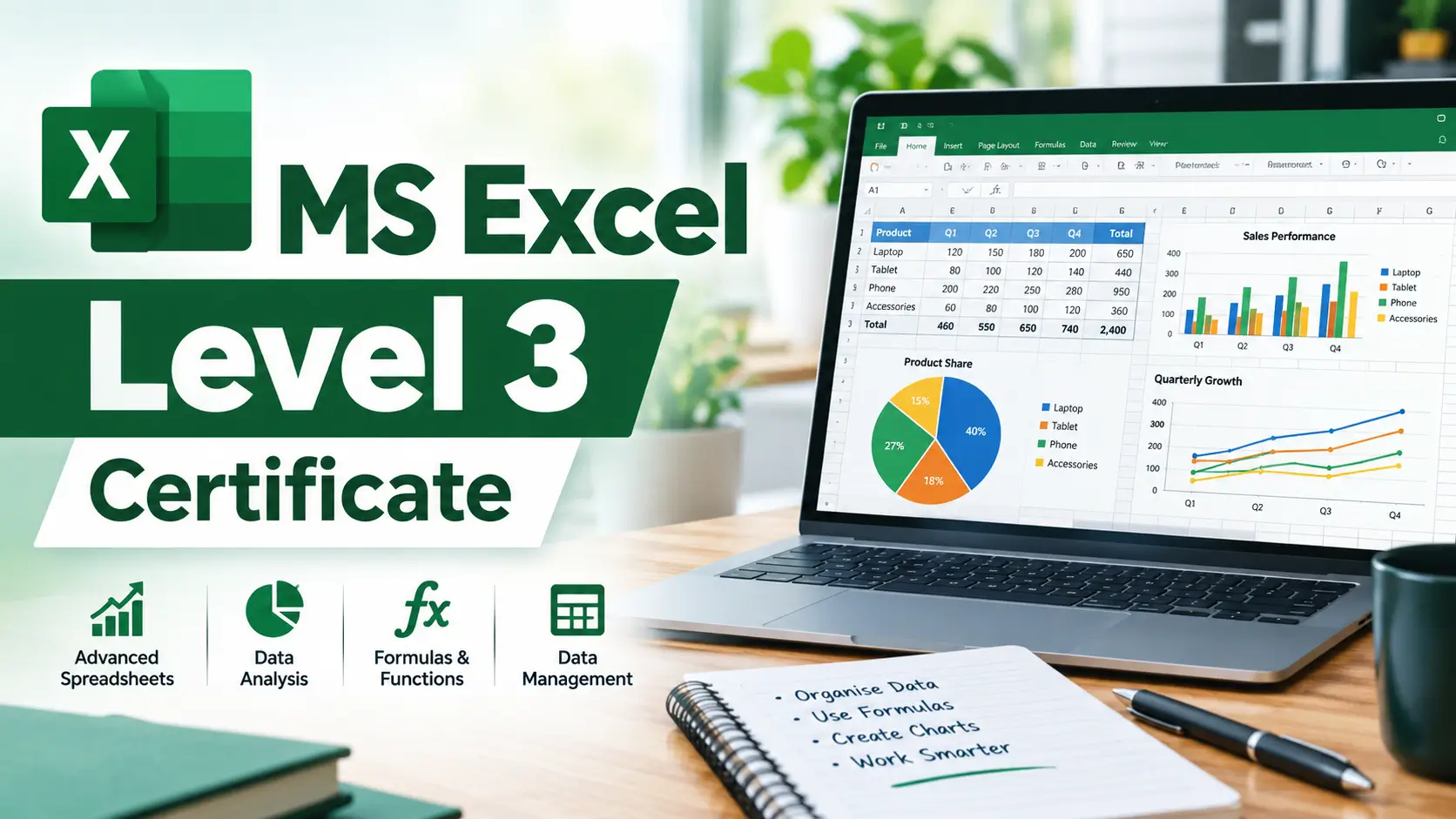
MS Excel Level 3 Certificate
MS Excel Level 3 Certificate Ready to Build Your Microsoft Excel Skills but Don’t Know Where to Start? No Excel...
Official Certification
Recognized by top tech firms
Learn With Confidence






About This Course
MS Excel Level 3 Certificate
Ready to Build Your Microsoft Excel Skills but Don’t Know Where to Start?
No Excel experience? New to spreadsheets and data management?
Develop essential Microsoft Excel skills, organise and manage information confidently, and build a strong foundation for exciting career opportunities in the UK’s business, administration, and finance sectors!
✅ Master Microsoft Excel Fundamentals — Learn essential spreadsheet functions, data entry techniques, and basic Excel tools used in professional workplaces.
✅ Develop Data Management & Worksheet Skills — Explore how to enter, edit, organise, and format data while managing worksheets effectively.
✅ Build Practical Spreadsheet Knowledge — Understand basic Excel functions, working with templates, adding images and shapes, and preparing spreadsheets for printing.
✅ Explore Career Opportunities — Build industry-relevant Excel knowledge to support roles in office administration, business operations, finance support, and data entry.
COURSE OVERVIEW
Explore the essential features of Microsoft Excel with this MS Excel Level 3 Certificate course. The programme introduces spreadsheet fundamentals and examines how Excel can be used to organise information, perform basic calculations and present data clearly.
Throughout the course, you will study worksheet navigation, entering and editing information, basic Excel functions and worksheet modification. The curriculum also covers data formatting, inserting images and shapes, using SmartArt, preparing worksheets for printing and working with templates.
Designed for learners who want to develop their understanding of Microsoft Excel, this online course provides knowledge of common spreadsheet features used in study, administrative work and everyday data organisation.
Key Curriculum Topics
-
Excel Fundamentals: Explore the Excel interface, worksheets and basic spreadsheet features.
-
Entering and Editing Data: Understand how to enter, edit and organise information in worksheets.
-
Basic Excel Functions: Examine common functions used for simple calculations.
-
Worksheet Formatting: Explore formatting tools for presenting spreadsheet information.
-
Images, Shapes and SmartArt: Understand how visual elements can be added to worksheets.
-
Templates and Printing: Examine templates, page layout and worksheet printing options.
COURSE CURRICULUM
Section 1: Excel Beginner
This opening section introduces learners to Excel at beginner level and establishes the basic knowledge needed to work with spreadsheets.
Main learning topics:
- Introduction to Excel
- Beginner Excel concepts
- Spreadsheet fundamentals
- Working with the Excel environment
- Starting to use Excel
Section 2: Excel Fundamentals
This section develops fundamental Excel knowledge and provides a foundation for working confidently with spreadsheets.
Main learning topics:
- Excel fundamentals
- Basic spreadsheet concepts
- Working with Excel
- Core Excel features
- Fundamental spreadsheet skills
Section 3: Entering and Editing Text
This section focuses on entering information into Excel and editing text within worksheets.
Main learning topics:
- Entering text
- Editing text
- Working with cell content
- Modifying entered information
- Managing text within worksheets
Section 4: Basic Excel Functions
This section introduces basic Excel functions and helps learners understand how functions can be used within spreadsheets.
Main learning topics:
- Basic Excel functions
- Using functions
- Applying functions to spreadsheet data
- Fundamental calculations
- Working with spreadsheet formulas and functions
Section 5: Modifying an Excel Worksheet
This section focuses on making changes to Excel worksheets and adjusting spreadsheet content.
Main learning topics:
- Modifying worksheets
- Editing worksheet content
- Adjusting spreadsheet structure
- Managing worksheet information
- Making practical worksheet changes
Section 6: Formatting Data
This section introduces data formatting and explains how spreadsheet information can be presented more clearly.
Main learning topics:
- Formatting data
- Improving spreadsheet presentation
- Applying formatting
- Organising spreadsheet information
- Creating clearer worksheets
Section 7: Images, Shapes and Smart Art
This section explores visual elements that can be added to Excel worksheets, including images, shapes and SmartArt.
Main learning topics:
- Adding images
- Using shapes
- Working with SmartArt
- Enhancing spreadsheet presentation
- Using visual elements in Excel
Section 8: Printing in Excel
This section introduces printing features and helps learners understand how Excel worksheets can be prepared for printed output.
Main learning topics:
- Printing in Excel
- Preparing worksheets for printing
- Print-related Excel features
- Spreadsheet presentation for print
- Producing printed worksheet output
Section 9: Templates
This section introduces Excel templates and their use in creating structured spreadsheet documents.
Main learning topics:
- Excel templates
- Working with templates
- Using pre-designed spreadsheet structures
- Creating consistent spreadsheet documents
- Template-based Excel work
Section 10: Excel Beginner – Conclusion
The final section concludes the beginner-focused Excel programme and brings together the fundamental skills covered throughout the training.
Main learning topics:
- Review of Excel beginner concepts
- Consolidation of fundamental skills
- Review of core Excel features
- Bringing together spreadsheet skills
- Preparing for further Excel learning
WHO IS THIS COURSE FOR?
Excel Beginners
This programme is particularly suitable for people who have little or no previous experience with Microsoft Excel and want to develop fundamental spreadsheet skills.
Office Administrators
Administrative professionals frequently work with spreadsheets for organising information, preparing documents and managing workplace data. Fundamental Excel knowledge can support these responsibilities.
Business Support Staff
Employees in business support roles can benefit from understanding spreadsheet formatting, functions, worksheet editing and templates.
Students
Students can use Excel skills for organising information, preparing assignments, managing data and completing spreadsheet-based tasks.
Job Seekers
Learners preparing for office-based employment can use Excel training to develop a practical digital workplace skill that appears across many administrative and business environments.
Small Business Owners
Business owners may use Excel to organise information, create structured worksheets and manage everyday business data.
Career Changers
People moving towards administrative or office-based work can use this programme to build foundational spreadsheet knowledge.
Existing Excel Users
People who already have some Excel experience can use the programme to reinforce basic functions, formatting, worksheet modification and presentation skills.
REQUIREMENTS
No formal entry requirements were supplied for this programme.
The curriculum is beginner-focused, making it suitable for learners who want to develop fundamental Excel knowledge.
Learners should check the provider’s current enrolment information for any specific requirements that may apply.
SKILLS YOU CAN DEVELOP
Microsoft Excel Fundamentals
Build a foundation in using Excel and working with spreadsheets.
Text Entry and Editing
Develop the ability to enter and edit text within Excel worksheets.
Basic Excel Functions
Understand how basic functions can be used when working with spreadsheet information.
Worksheet Modification
Develop confidence in modifying and adjusting worksheet content.
Data Formatting
Learn how to format spreadsheet data for clearer presentation.
Visual Spreadsheet Design
Develop familiarity with images, shapes and SmartArt in Excel.
Spreadsheet Printing
Understand how Excel worksheets can be prepared for printing.
Template Usage
Develop knowledge of using templates to structure spreadsheet documents.
Spreadsheet Organisation
Build practical knowledge for creating and maintaining organised worksheets.
Digital Workplace Skills
Develop an Excel skill set that can complement administrative, business and office-based responsibilities.
LEARNING OUTCOMES
By completing the MS Excel Level 3 Certificate, learners should be able to:
- Explain fundamental concepts associated with Microsoft Excel.
- Navigate and work with basic Excel spreadsheet features.
- Enter and edit text within Excel worksheets.
- Use basic Excel functions for spreadsheet tasks.
- Modify and adjust Excel worksheets.
- Apply formatting to spreadsheet data.
- Add images, shapes and SmartArt to worksheets.
- Prepare Excel worksheets for printing.
- Work with Excel templates.
- Apply fundamental Excel skills to everyday spreadsheet tasks.
CAREER PATHS
Administrative Assistant
Typical UK Salary: Around £21,000–£30,000 depending on experience, location and employer.
How the course is relevant: Administrative roles often involve working with documents, spreadsheets and organised data. Excel fundamentals can support everyday office responsibilities.
Additional workplace skills and employer-specific requirements may apply.
Office Administrator
Typical UK Salary: Around £22,000–£32,000 depending on experience, location and employer.
How the course is relevant: The programme develops spreadsheet skills including text entry, functions, formatting, worksheet modification and templates, which can complement office administration duties.
Data Entry Administrator
Typical UK Salary: Around £20,000–£28,000 depending on employer, location and experience.
How the course is relevant: Entering and editing information, organising worksheets and formatting data are directly relevant to spreadsheet-based administrative work.
Business Administrator
Typical UK Salary: Around £22,000–£35,000 depending on experience, employer and location.
How the course is relevant: Excel is commonly used in business administration for organising information and preparing spreadsheet documents. This training provides foundational Excel knowledge that can complement broader administrative skills.
Accounts Administrator
Typical UK Salary: Around £22,000–£32,000 depending on employer and experience.
How the course is relevant: Basic Excel functions, data entry and formatting can support spreadsheet-related administrative tasks within finance and accounts environments.
Additional accounting knowledge and employer-specific requirements may be needed.
Sales Administrator
Typical UK Salary: Around £22,000–£32,000 depending on experience and employer.
How the course is relevant: Spreadsheet skills can support the organisation and presentation of business information in sales administration environments.
Customer Service Administrator
Typical UK Salary: Around £21,000–£30,000 depending on employer, location and experience.
How the course is relevant: Excel skills can complement administrative responsibilities involving organised records, data and workplace documents.
Receptionist / Front Office Administrator
Typical UK Salary: Around £20,000–£28,000 depending on employer and experience.
How the course is relevant: Basic spreadsheet skills can complement broader digital and administrative capabilities used in office environments.
MS EXCEL FOR BEGINNERS
An MS Excel course for beginners should introduce learners to the core features required to work confidently with spreadsheets.
This programme follows that approach by beginning with Excel Beginner and Excel Fundamentals before moving into text entry, functions, worksheet modification and formatting.
The curriculum then adds presentation-related features, including:
- Images
- Shapes
- SmartArt
- Printing
- Templates
This creates a structured progression from basic Excel knowledge towards practical worksheet creation and presentation.
For a learner who has never used Excel or has only limited experience, these fundamental skills can provide a useful starting point before moving into more advanced spreadsheet techniques.
ONLINE MS EXCEL COURSE
An online MS Excel course can provide a flexible way to develop spreadsheet skills without requiring traditional classroom-based study.
The MS Excel Level 3 Certificate is based around beginner and fundamental Excel content, making it suitable for learners who want to study essential spreadsheet skills.
Online Excel learning can be particularly useful for:
- Beginners developing digital skills
- Office workers improving spreadsheet confidence
- Students learning workplace software
- Job seekers developing employability skills
- Career changers preparing for administrative roles
The exact study format, access arrangements and assessment structure should be confirmed with the training provider.
MS EXCEL TRAINING COURSES
MS Excel training courses can range from introductory programmes through to advanced specialist training.
This programme focuses primarily on fundamental Excel skills. It covers:
- Excel fundamentals
- Text entry and editing
- Basic functions
- Worksheet modification
- Data formatting
- Images and shapes
- SmartArt
- Printing
- Templates
Learners looking for more advanced MS Excel training courses should consider programmes covering areas such as PivotTables, advanced formulas, Power Query, data modelling, dashboards, macros or VBA if those skills are relevant to their goals.
ADVANCED MS EXCEL COURSE: WHAT IS THE DIFFERENCE?
An advanced MS Excel course normally goes beyond the fundamentals covered in this programme.
Advanced Excel training may cover areas such as:
- Advanced formulas
- Lookup functions
- PivotTables
- PivotCharts
- Data validation
- Conditional formatting
- Power Query
- Data analysis
- Dashboards
- Macros
- VBA
- Spreadsheet automation
These topics are not included in the supplied curriculum, so this MS Excel Level 3 Certificate should be positioned as a beginner and foundational programme rather than an advanced MS Excel course.
This distinction helps learners choose training that matches their current ability and desired skill level.
MS EXCEL COURSE WITH CERTIFICATE
The phrase MS Excel course with certificate is commonly used by learners searching for Excel training that includes a certificate.
The supplied programme is titled MS Excel Level 3 Certificate. Learners should check the provider’s current information for the exact certificate, awarding arrangements, assessment method and recognition associated with completion.
A certificate can document completion of training, but its value for employment will depend on the employer, role and the learner’s broader skills and experience.
MS EXCEL COURSE ONLINE VS CLASSROOM LEARNING
Both online and classroom Excel learning can help learners develop spreadsheet knowledge.
An online MS Excel course can offer flexibility, while classroom training may provide direct instructor interaction. The most suitable option depends on the learner’s preferred study method, schedule and learning environment.
Regardless of delivery method, practical Excel ability is best developed by applying the skills to realistic spreadsheet tasks.
This programme provides a foundation through its coverage of Excel fundamentals, functions, worksheet modification, formatting, visual elements, printing and templates.
FAQs
What is the MS Excel Level 3 Certificate?
It is a beginner-focused Microsoft Excel training programme covering fundamental spreadsheet skills, basic functions, formatting, worksheets, visual elements, printing and templates.
Is this an MS Excel course for beginners?
Yes. The curriculum begins with Excel Beginner and Excel Fundamentals, making it suitable for learners developing their initial Excel skills.
Is this an online MS Excel course?
Yes. The supplied course link is for an online training programme. Learners should confirm the current delivery and access arrangements with the provider.
What will I learn in this Excel course?
You will learn Excel fundamentals, text entry and editing, basic functions, worksheet modification, data formatting, images, shapes, SmartArt, printing and templates.
Does the course teach Excel formulas?
The curriculum includes Basic Excel Functions, providing an introduction to using basic functions within Excel.
Does the course cover Excel formatting?
Yes. Section 6 specifically covers formatting data.
Can I learn how to add images and shapes in Excel?
Yes. Section 7 covers images, shapes and SmartArt.
Does the course teach Excel templates?
Yes. Section 9 is dedicated to templates.
Does the course cover printing in Excel?
Yes. Section 8 covers printing in Excel.
Is this an advanced MS Excel course?
No. The supplied curriculum is primarily beginner and fundamental level. Learners seeking advanced Excel features should undertake additional advanced MS Excel training.
Is this an MS Excel course with certificate?
The course title supplied is MS Excel Level 3 Certificate. Learners should confirm the provider’s current certificate and completion arrangements.
Can Excel skills help with office jobs?
Yes. Excel is a commonly used workplace productivity tool, and fundamental spreadsheet skills can complement administrative, business and office-based responsibilities.
Can Excel training help job seekers?
Yes. Excel knowledge can be a useful digital workplace skill for people applying for administrative, business support and other office-based positions.
Is MS Excel useful for administration?
Yes. Excel can be used to organise information, prepare worksheets, format data and perform basic calculations, making fundamental skills relevant to many administrative environments.
Should I take an advanced Excel course after this?
If you want to develop specialist spreadsheet skills, progressing to advanced Excel training can be useful. Topics may include PivotTables, advanced formulas, Power Query, dashboards, macros and VBA.
WHY LEARN MS EXCEL?
Microsoft Excel remains a widely used spreadsheet application for organising, presenting and working with information.
Developing Excel skills can therefore complement a wide range of administrative, business and office-based abilities.
The MS Excel Level 3 Certificate provides a structured starting point through its 10 sections:
- Excel Beginner
- Excel Fundamentals
- Entering and Editing Text
- Basic Excel Functions
- Modifying an Excel Worksheet
- Formatting Data
- Images, Shapes and SmartArt
- Printing in Excel
- Templates
- Excel Beginner Conclusion
This makes the programme particularly suitable for learners searching for an MS Excel course for beginners, online MS Excel course, or foundational MS Excel training courses.
Learners can then build upon these skills through more advanced Excel study if their career or educational goals require it.
FINAL SUMMARY
The MS Excel Level 3 Certificate provides a structured introduction to Microsoft Excel, focusing on practical beginner and fundamental spreadsheet skills.
The curriculum covers Excel fundamentals, entering and editing text, basic functions, worksheet modification, formatting, images, shapes, SmartArt, printing and templates.
It can be useful for beginners, students, job seekers, administrative professionals, business support workers and anyone wanting to improve their confidence with Excel.
For learners searching for an MS Excel course online, MS Excel course for beginners, online MS Excel course, or MS Excel course with certificate, this programme provides a foundation from which to develop practical spreadsheet ability.
However, learners looking specifically for an advanced MS Excel course should consider further training covering specialist subjects such as advanced formulas, PivotTables, Power Query, dashboards, macros and VBA.
Overall, the programme offers a practical starting point for developing Microsoft Excel knowledge that can complement broader digital, administrative and workplace skills.
Course Content
Section 1 – Excel Beginner
-
Introduction
00:00
Section 2 – Excel Fundamentals
Section 3 – Entering and Editing Text
Section 4 – Basic Excel Functions
Section 5 – Modifying an Excel Worksheet
Section 6 – Formatting Data
Section 7 – Images, Shapes and Smart Art
Section 8 – Printing in Excel
Section 9 – Templates
Section 10 – Excel Beginner – Conclusion
Frequently Asked Questions
There are many things that you might want to know. Well we have the answers.
